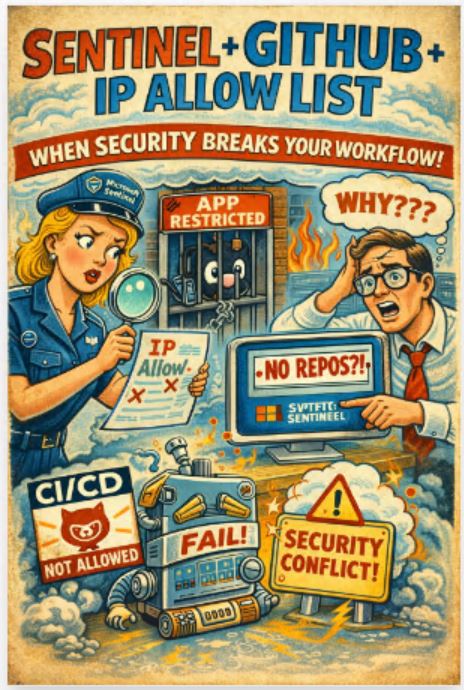
There is a very specific type of failure that shows up in Microsoft Sentinel setups.
No errors. No alerts. No logs screaming at u.
Just… nothing works.
You connect the GitHub app.
Authorisation succeeds.
UI looks fine.
And your repositories simply do not appear.
Then u disable the IP allow list in GitHub… and suddenly everything works.
That is not coincidence. That is architecture.
The kind of failure nobody enjoys
From a real-world scenario:
- GitHub app connects successfully
- Sentinel shows no repos
- no visible errors
- disable IP allow list → everything starts working
This is not a failure in the traditional sense.
This is a silent failure.
And silent failures are always the worst ones because they waste time in all the wrong places.
What is actually happening
This is not really a Sentinel problem.
And not really a GitHub problem either.
It is a network control vs cloud integration mismatch.
When u enable an IP allow list in GitHub:
- only approved IPs can access the organisation
- everything else is blocked without much explanation
Now here is the important bit.
The Microsoft Sentinel GitHub app does not manage its own IP allow list.
It does not:
- publish a clean, fixed IP range
- automatically register its outbound IPs
- guarantee stable source addresses
So when u lock GitHub down, u are effectively blocking the integration.
Why “just add the IPs” does not work
The obvious reaction is:
“fine, let us whitelist GitHub or Azure IP ranges”
People try:
- GitHub meta API ranges
- Azure service ranges
- random CIDR blocks from docs
Still broken.
Why?
Because there is no single source IP.
The integration path looks more like this:
GitHub backend
→ Azure services
→ internal service layers
→ Sentinel
That chain is distributed and dynamic.
There is no neat allow list u can copy paste.
This is not a bug. It is how cloud works
You will see the same behaviour with:
- Azure DevOps
- Snyk
- Sonar
- pretty much any SaaS integration
They run from cloud infrastructure.
That means:
- IPs are dynamic
- routing is abstracted
- endpoints are not fixed
IP allow lists assume the opposite.
So when u combine the two, something has to give.
Spoiler: it is usually your integration.
Why Sentinel gets hit harder
In Sentinel, GitHub integration is not cosmetic.
It drives:
- analytics rule deployment
- CI/CD for detections
- content sync
When it breaks:
- pipelines stop
- rules do not deploy
- automation quietly dies
And the UI does not help u understand why.
Which is… impressive in its own way.
The real problem: no clear guidance
Here is the uncomfortable bit.
There is no clean, official list of IPs for the Sentinel GitHub app.
No proper documentation saying:
“allow these and u are safe”
So u end up guessing.
And guessing in network security is rarely a good plan.
What actually works in practice
No theory here. Just what people end up doing.
1. Disable IP allow list (temporarily)
Yes, it works.
Also yes, security teams hate it.
Use it for:
- troubleshooting
- proving root cause
Not as a permanent solution unless u enjoy difficult conversations.
2. Allow GitHub Apps to bypass restrictions
GitHub has a setting to let apps bypass IP restrictions.
Sounds perfect.
Reality:
- not all apps behave consistently
- Sentinel app is not always reliable with it
So it is helpful, but not something u can fully trust.
3. Move to controlled infrastructure
The only truly predictable approach:
- self-hosted runners
- fixed outbound IP via NAT
- controlled egress
Now u decide what IPs are used.
That makes the allow list deterministic.
Trade-off:
- more infra
- more ops overhead
- less “pure SaaS simplicity”
But also… fewer surprises.
What this really is
This is a classic conflict:
static security control vs dynamic cloud design
IP allow lists:
- static
- predictable
- rigid
Cloud integrations:
- distributed
- dynamic
- opaque
Combine them and u get friction.
Not because something is broken.
Because the models do not align.
How I would design it
No checkbox-driven “best practice”. Just reality.
high security environment
- self-hosted runners
- outbound via fixed NAT
- strict allow list
balanced approach
- allow GitHub Apps
- monitor activity
- rely on audit and detection
enterprise setup
- baseline restrictions
- explicit exceptions for trusted integrations
Because blocking everything is not security.
It is just a very efficient way to break your own platform.
Final thought
This case is a good reminder of something people tend to forget.
Security controls do not exist in isolation.
They sit inside architectures.
And if the control does not fit the architecture, it will not make u safer.
It will just make things stop working.
In this case:
GitHub IP allow list and cloud-native integrations are in conflict by design
You cannot “fix” that with a better CIDR range.
You either:
- relax the control
or - redesign the integration
Everything else is just trial and error dressed up as engineering.