TL;DR
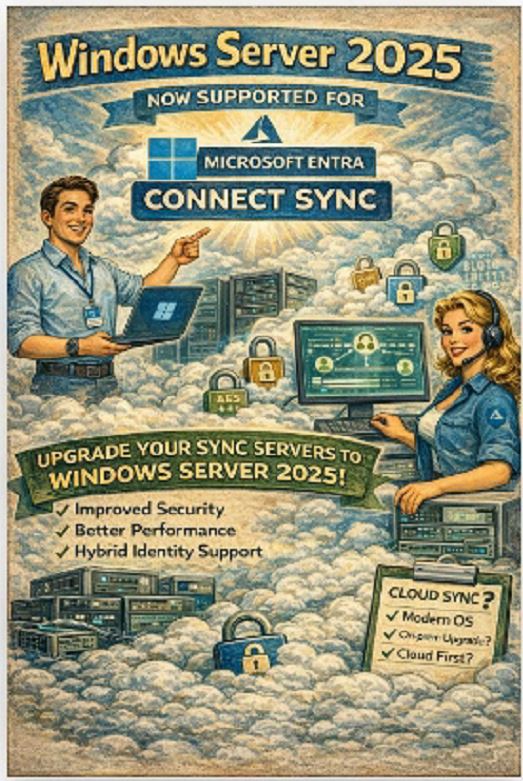
Entra Connect Sync now supports Windows Server 2025
you can upgrade safely and stay supported
you get better security and performance
but Microsoft is clearly pushing towards Cloud Sync
The question is no longer “can you upgrade?”
It is “how long do you want to stay on-prem?”
Sounds like a routine compatibility update.
It isn’t.
This is one of those changes that quietly impacts every hybrid identity environment — especially the ones still running critical sync workloads on aging infrastructure and hoping nobody touches it.
What actually changed
Microsoft Entra Connect Sync is now Generally Available on Windows Server 2025.
That means:
you can deploy new sync servers on Server 2025
you can upgrade existing infrastructure without falling out of support
you can align identity with a modern OS baseline
No more “we’ll wait because it might break”.
Now it’s supported. Officially.
Why this matters (more than it looks)
Let’s be honest.
Entra Connect Sync is often treated like:
“that one server we don’t touch unless something breaks”
Which is exactly why it becomes a risk.
Because technically, this component is doing a lot:
synchronising identities between AD and Entra ID
handling password hash sync or pass-through authentication
maintaining attribute flows and joins
feeding your entire authentication model
👉 If it fails, identity breaks. Not slowly. Immediately.
What you gain with Windows Server 2025
🔐 Stronger security baseline
Server 2025 brings:
improved credential protection
updated crypto defaults
modern hardening capabilities
This matters because your sync server:
stores credentials (or hashes)
interacts with DCs
connects to cloud endpoints
👉 It is part of your identity attack surface.
⚙️ Better performance for sync workloads
Entra Connect is not lightweight.
Large environments deal with:
hundreds of thousands of objects
complex attribute transformations
delta and full sync cycles
Modern OS improvements mean:
better memory handling
more efficient threading
improved stability under load
👉 Less “why did sync just spike CPU to 100% at 3am?”
🛠️ Improved manageability
New OS = better tooling.
You get:
updated PowerShell
improved patching model
better integration with modern management stacks
Which matters when you actually have to troubleshoot sync issues under pressure.
The part everyone should be thinking about
Yes, you can upgrade.
But that is not the interesting question.
The real question is:
should you still be running Entra Connect Sync on-prem long term?
Because Microsoft’s direction is very clear.
Enter: Microsoft Entra Cloud Sync
This is not just “another option”.
It is a strategic shift.
Cloud Sync moves:
configuration → to the cloud
control plane → to Entra
infrastructure → mostly away from you
Why Cloud Sync is gaining traction
Simpler deployment
No heavy SQL dependency
No complex upgrade cycles
No “don’t touch this server” culture
Lightweight agents instead of a central sync engine.
Cloud-managed configuration
Everything is controlled via Entra:
attribute mapping
sync rules
scope filtering
👉 No more digging through local config wizards.
Continuous feature delivery
Entra Connect Sync evolves slowly.
Cloud Sync evolves continuously.
New capabilities land faster, without waiting for:
installer updates
server upgrades
manual intervention
Reduced on-prem dependency
Fewer critical servers
Less infrastructure to maintain
Smaller attack surface
👉 This aligns with Zero Trust and cloud-first identity models.
But let’s not oversimplify it
Cloud Sync is not a drop-in replacement for every scenario.
There are still gaps:
complex hybrid Exchange scenarios
advanced attribute transformations
edge cases with legacy identity flows
👉 Many enterprises will run both for some time.
Real-world architecture thinking
What we see in practice:
Entra Connect Sync stays for complex workloads
Cloud Sync is introduced for new or simpler scopes
Gradually:
less dependency on the legacy sync engine
more logic moves to cloud-managed identity
So what should you actually do?
Short term
Upgrade to Windows Server 2025 if:
you are refreshing infrastructure
you need security improvements
you want to stay fully supported
👉 This is the safe move.
Mid term
Start evaluating Cloud Sync:
test in non-prod
validate attribute flows
understand limitations
Long term
Design for:
less on-prem dependency
more cloud-managed identity
simpler architecture
Final thought
Hybrid identity is not going away.
But the way we build it is changing.
Entra Connect Sync on Windows Server 2025 is a solid step forward.
But it also feels like a bridge.
Between:
traditional sync-heavy identity
and
cloud-managed identity platforms