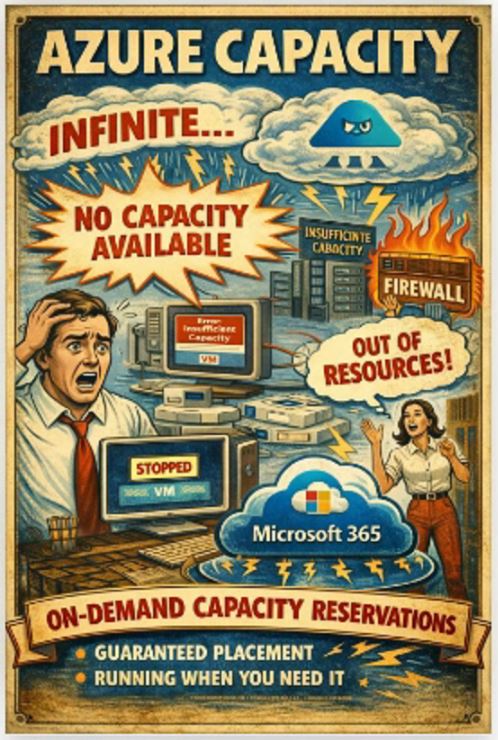
Cloud marketing has done a great job selling one idea.
Infinite scale. Infinite capacity. Infinite everything.
Right up until you try to start a VM in a busy region and Azure quietly replies: no capacity available.
That is the moment when “cloud elasticity” stops being a philosophy and starts being a constraint.
And this is exactly where On-Demand Capacity Reservations come in. Not as a nice-to-have. As a very blunt control over reality.
The uncomfortable truth about Azure compute
Let us get one thing straight.
Quota is not capacity.
Reserved Instances are not capacity.
Savings Plans are definitely not capacity.
They are billing constructs.
When Azure starts a VM, it still needs real hardware in a real datacentre, in a specific region or availability zone, for a specific SKU.
If that slot does not exist at that moment, your VM does not start.
You can have:
- enough quota
- valid deployment
- approved budget
- perfect architecture diagram
…and still fail at the most basic step.
That is not a bug. That is how shared infrastructure works.
What ODCR actually does under the hood
On-Demand Capacity Reservations give you something Azure normally does not promise.
A guaranteed slot for your VM before you even need it.
Technically, you are reserving:
- a specific VM size
- in a specific region or availability zone
- for a fixed number of instances
Azure then pre-allocates that capacity in the fabric.
Not logically. Not conceptually.
Physically.
That means when your VM starts, Azure does not need to search for placement. The slot is already yours.
The two building blocks you need to understand
The model is simple but strict.
1. Capacity Reservation Group (CRG)
Think of it as a container.
- defines region and optional zones
- can be shared across subscriptions
- does not reserve anything by itself
2. Capacity Reservation
This is where things get serious.
You define:
- VM SKU, for example Standard_D4s_v5
- region or zone
- number of instances
And Azure immediately tries to allocate that capacity.
If it cannot, creation fails.
No “we will try later”.
No queue.
No soft promises.
Matching rules that will break your deployment if you ignore them
Azure is very strict here, and people get burned.
For a VM to consume reserved capacity, it must match:
- same region
- same zone, if zonal
- exact VM size
- linked to the correct CRG
If any of these do not match, the VM simply ignores the reservation and falls back to best-effort placement.
Which is exactly what you were trying to avoid.
There is also a subtle operational trap.
- zonal VMs can attach to ODCR without restart
- regional VMs often require stop and start to bind properly
Guess when people usually discover that detail.
Yes, during a maintenance window.
Why ODCR creation can fail
Here is the ironic part.
You need capacity… to reserve capacity.
When you create an ODCR, Azure tries to immediately allocate those slots.
Failures usually come from:
- region or zone being saturated
- insufficient quota
- SKU not available in that region
- policy or subscription restrictions
And the “fixes” are not glamorous:
- try another zone
- try another region
- try a different VM size
- try at a different time
Support can explain the problem.
Support cannot create hardware.
Billing, without the comforting lies
This is where many people suddenly lose enthusiasm.
You pay for the reservation even if no VM is running.
Because Azure is holding that capacity for you.
Pricing is effectively the same as pay as you go for that VM size.
However:
- there is no double billing for a running VM using the reservation
- you can still apply Reserved Instances or Savings Plans on top
So the model becomes:
- ODCR for guarantee
- RI or Savings Plan for cost optimisation
Clean. Logical. Slightly painful.
Where costs stack up in real life
Disaster recovery is the classic trap.
You reserve capacity for:
- production
- standby or failover environment
You are now paying for both.
And that is correct.
Because what you are buying is not compute.
You are buying readiness under failure conditions.
If your DR plan says “we will fail over instantly”, ODCR is what turns that sentence from fiction into engineering.
Scale sets and the illusion of elasticity
ODCR supports Virtual Machine Scale Sets, both Uniform and Flexible.
But here is where you need to think like an engineer, not like a brochure.
If your scale set:
- scales up and down aggressively
- exists primarily for cost efficiency
Reserving full peak capacity makes no sense.
You will pay for idle slots.
A better pattern:
- reserve a baseline capacity floor
- leave burst capacity unreserved
This gives you:
- guaranteed minimum availability
- controlled cost for elasticity
Anything else is just burning money with confidence.
Where ODCR is actually critical
Microsoft calls out the usual suspects, and they are not wrong.
Use it for:
- domain controllers
- databases
- core application services
- network appliances like firewalls and load balancers
Basically anything where:
“If it does not start, we are in trouble”
Because that is the exact failure mode ODCR removes.
There is even a real-world scenario that should make you slightly uncomfortable.
A firewall VM is stopped for maintenance.
It cannot start again due to capacity constraints.
The entire perimeter is effectively gone.
That is not theoretical. That is how outages happen.
The part nobody likes to talk about
Azure can stop your VM without asking.
Reasons include:
- predictive hardware failure
- infrastructure maintenance
- platform health events
When that happens, restart depends on available capacity.
Without ODCR:
best effort
With ODCR:
guaranteed placement path
That is the difference between:
“we hope it comes back”
and
“we know it will”
Where ODCR is a bad idea
Not everything deserves guaranteed capacity.
Avoid it for:
- dev and test environments
- non-critical workloads
- short-lived or ephemeral compute
- anything that can retry or wait
Because “just in case” in Azure turns into a bill that finance will absolutely notice.
The real takeaway
On-Demand Capacity Reservations are not about optimisation.
They are about control.
Azure by default works like this:
first come, first served
ODCR changes that to:
this slot is mine
And if we are being brutally honest, this is one of those features you only truly appreciate after your first capacity-related incident.
Because resilience does not start with dashboards, AI or threat detection.
It starts with a far more primitive question.
Will the thing actually start when you need it to?