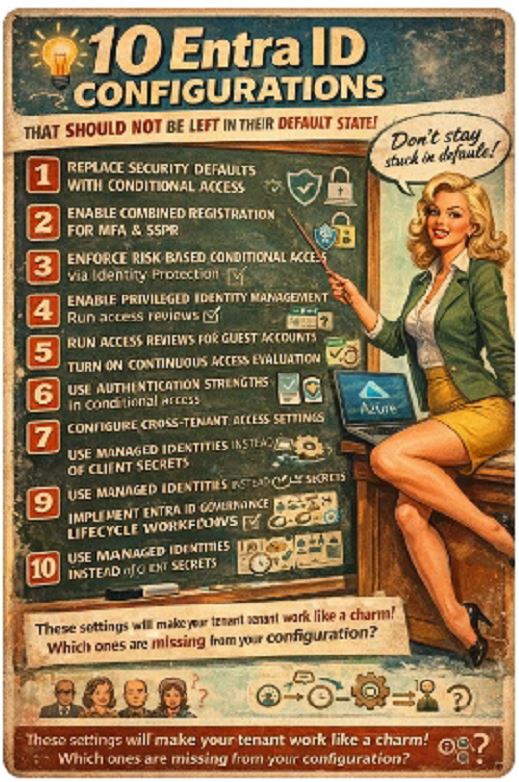
Every Azure architect eventually realises the tenant works, but it is not engineered. Microsoft gives you the building blocks. It is your job to turn them into an identity architecture.
Here are the configurations that should not remain in their default state.
1. Replace Security Defaults with Conditional Access
Security Defaults are a starting baseline. They enforce MFA for privileged roles and block legacy authentication, but they are binary and lack granularity.
Move to Conditional Access before you scale. Design policies around user risk, device compliance, authentication strength, application sensitivity and session context. Security Defaults are fine for 20 users. They are not fine for 2,000.
2. Enable Combined Registration for MFA and SSPR
Separate registration flows reduce adoption and increase friction.
Combined registration unifies MFA and Self Service Password Reset onboarding. It improves enrolment rates and ensures users meet authentication method requirements before Conditional Access policies enforce controls.
Front-load compliance instead of reacting to failed sign-ins.
3. Enforce Risk-Based Conditional Access via Identity Protection
Identity Protection already calculates user risk and sign-in risk. If you do not bind those signals to Conditional Access, you are ignoring actionable telemetry.
Implement policies such as:
- Require phishing-resistant MFA on elevated sign-in risk
- Force password reset on high user risk
- Block high-risk sessions from unmanaged devices
Detection without enforcement is theatre.
4. Enable Privileged Identity Management for All Privileged Roles
Permanent privileged access is architectural debt.
Use Privileged Identity Management to enforce:
- Just-in-time role activation
- Time-bound privilege
- Approval workflows
- Full audit trail
No permanent Global Admin. No emergency exception accounts sitting idle. If privilege is not temporary, it is exposure.
5. Run Access Reviews for Guest Accounts
Guest accounts accumulate silently. Vendors change. Contractors leave. Access lingers.
Enable Access Reviews on:
- Guest user group membership
- Application access
- Privileged roles
Automate removal when reviewers do not respond. Governance must be systematic, not sentimental.
6. Turn On Continuous Access Evaluation
Traditional token lifetimes assume risk does not change mid-session.
Continuous Access Evaluation revokes sessions near real time when:
- User risk increases
- Password changes
- Device compliance changes
- Access is revoked
Stop relying on short token lifetimes. Move to event-driven revocation.
7. Use Authentication Strengths in Conditional Access
Not all MFA methods provide equal resistance to phishing.
Define Authentication Strength policies requiring phishing-resistant methods such as:
- FIDO2
- Passkeys
- Certificate-based authentication
If SMS or push-based MFA satisfies your most sensitive policies, your baseline is outdated.
8. Configure Cross-Tenant Access Settings Explicitly
Default cross-tenant trust is often too permissive.
Define inbound and outbound trust per partner:
- Decide whether to trust partner MFA claims
- Decide whether to trust device compliance claims
- Restrict access to specific applications
Zero Trust does not end at your tenant boundary.
9. Use Managed Identities Instead of Client Secrets
Service principals with client secrets create credential lifecycle risk.
Where possible, replace them with Managed Identities:
- No stored credentials
- No secret rotation
- No accidental exposure in code repositories
If you are still deploying Azure workloads with static app secrets, you are choosing unnecessary risk.
10. Implement Entra ID Governance Lifecycle Workflows
Manual joiner, mover, leaver processes create delays and orphaned accounts.
Enable Lifecycle Workflows to:
- Automate provisioning from HR triggers
- Assign dynamic groups
- Trigger access packages
- Deprovision automatically
Every day of delayed deprovisioning is an avoidable exposure window.
Most of these features are already in your tenant. The difference between a functional identity platform and an engineered one is whether you configure them deliberately.
Which of these is still missing in your environment?