Hi my dear tech geeks, today we will talk about RDC :)))) (last time?)
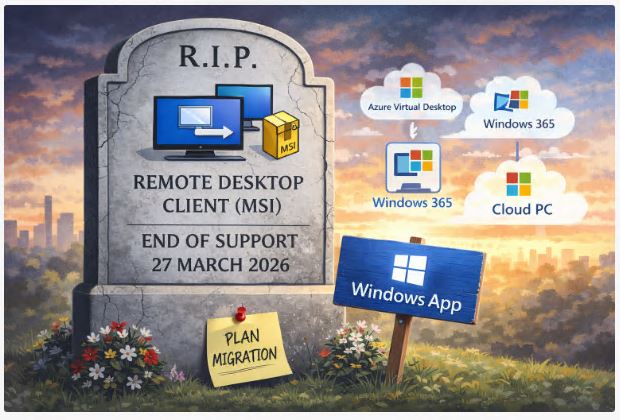
Microsoft has confirmed that the Remote Desktop Client distributed via MSI will reach end of support on 27 March 2026.
After that date there will be no security updates. No bug fixes. No quality improvements. The MSI installer will no longer be available through official distribution channels.
For organisations that still deploy it through SCCM, Intune Win32 packages or golden images, this is not a cosmetic lifecycle notice. It is a hard architectural signal.
What exactly is being retired
This is not about mstsc.exe. The classic built in Remote Desktop Connection tool inside Windows will continue to work for traditional RDP use cases.
The change affects the standalone Remote Desktop Client MSI package, the one many enterprises use for Azure Virtual Desktop, Windows 365 and Cloud PC environments.
That client has historically been deployed via MSI for centralised management, version control and silent installation workflows. Once support ends, continuing to run it means running an unsupported remote access component in your estate.
In 2026 that is not a position most security teams will be comfortable with.
Why Microsoft is doing this
Microsoft is consolidating remote access experiences into the Windows App, the unified client that supports Azure Virtual Desktop, Windows 365, Remote Desktop Services and other cloud based endpoints.
From Microsoft’s perspective this reduces fragmentation. One client. One update model. One feature pipeline.
From an enterprise perspective it changes deployment and operational patterns.
What this means for enterprise IT
If your environment relies on the MSI client for:
Azure Virtual Desktop access
Windows 365 provisioning
Cloud PC connectivity
Structured enterprise remote access workflows
you need to start planning the migration now.
Not in Q1 2026. Now.
Because remote access is not just a tool. It is tied to authentication flows, Conditional Access, device compliance, user training, helpdesk procedures and often regulatory controls.
The practical work involved
This is not just uninstall and replace.
You need to:
Validate the Windows App in your current identity and Conditional Access architecture.
Test integration with AVD host pools and Windows 365 assignments.
Review how updates are handled compared to MSI based lifecycle control.
Align packaging and endpoint management standards in Intune or ConfigMgr.
Update documentation and support runbooks.
And most importantly, communicate early. End users do not care about MSI lifecycle notices. They care when their remote access experience changes.
Security perspective
Once the MSI client reaches end of support, any newly discovered vulnerability will remain unpatched. In a remote access component, that risk surface is not theoretical.
Remote desktop clients process authentication tokens, session metadata and remote display streams. Running unsupported software in that path introduces measurable exposure.
Security teams should treat this as a standard end of support event with remote access sensitivity.
What is not changing
The built in mstsc.exe will remain available for traditional RDP connections.
If you use it for on premises servers, administrative jump hosts or internal lab environments, nothing changes.
The shift is focused on the modern, cloud integrated client model.
The real takeaway
This is not a dramatic platform shift. It is a consolidation move.
But consolidation moves often have operational impact.
Remote access is a foundational service in most enterprise environments. The earlier you test, standardise and communicate the migration to Windows App, the smoother this transition will be.
Waiting until early 2026 is technically possible.
It is just not operationally wise.