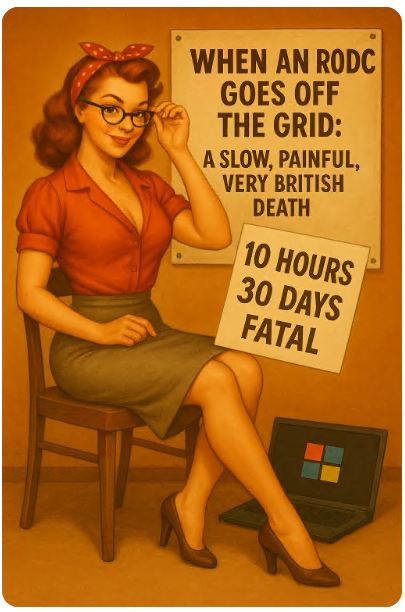
Oi, folks — today we’re talking about the slow, painful, deeply awkward death of an RODC that’s been cut off from the domain for far too long.
You know that moment when a branch office goes offline, someone says “It’ll be fine, the RODC will handle it,”
and you — the only sane person in the room — quietly whisper “No. No it bloody won’t.”
Well, this article is for you.
Because an RODC doesn’t explode, doesn’t throw a tantrum, and doesn’t send flashy alerts.
It simply bleeds out, very politely, over the course of days and weeks… until it crosses the 30-day mark and becomes a cryptographic vegetable.
Let’s break down exactly how and when it dies — timeline, symptoms, point of no return.
RODC 101: It doesn’t “expire”, it deteriorates like a forgotten sandwich
There’s no single deadline for an RODC.
Instead, bits of functionality fall off gradually, like a poorly maintained Vauxhall.
Three things matter most:
-
cached credentials
-
Kerberos (your 10-hour timer)
-
the RODC ↔ RWDC shared secret (your 30-day “you’re done” timer)
And yes — all three betray you at different times.
0–10 hours: “Still alive, mate. I’ve got this.”
In the first few hours of isolation, the RODC behaves:
-
Users with cached passwords can log in.
-
Users without cached passwords are told to take a hike — no RWDC, no authentication.
-
Group Policies stop updating, but nobody panics yet.
But this period is ticking down fast, because your RODC’s Kerberos TGT has a 10-hour lifespan.
When it goes… things get interesting.
After ~10 hours: “Err… my Kerberos ticket’s expired. Bit awkward.”
Once the TGT expires:
-
The RODC can’t renew it (no RWDC = no ticket).
-
Services relying on Kerberos begin to sulk.
-
Some stuff keeps working through NTLM and cached tokens,
but reliability becomes “British public transport” levels of unpredictable.
Cached-credential logins still work for now.
But the clock is ticking.
10 hours → 30 days: “Running on fumes. Please send help.”
Here begins the graceful collapse.
Your RODC:
-
stops receiving password changes
-
stops updating policies
-
cannot process non-cached logins
-
cannot join new computers to the domain
-
slowly loses cached credentials as they expire (typically around 30 days)
If a user changes their password at HQ —
the RODC just shrugs and says:
“Not my problem; haven’t spoken to the mothership in ages.”
~30 days: The big one — the “point of no return”
This is where the RODC dies properly.
Every RODC shares a cryptographic secret with its RWDC.
This secret refreshes every 30 days.
If the RODC misses this refresh?
Game over.
-
The shared secret expires.
-
The trust is broken.
-
Replication cannot resume, even if the network magically comes back.
-
The RODC becomes a “rogue” DC — still awake, still breathing, but dead to the domain.
You’ve officially crossed into “you’re rebuilding this thing” territory.
60–90 days: “Admin hits the big red button”
At this point the RODC is basically furniture.
Standard practice inside most sane organisations:
-
disable the RODC’s computer account
-
metadata cleanup
-
treat the host as lost
-
rebuild or reinstall from scratch
Simply plugging the thing back into the network is as effective as apologising to a printer.
It won’t fix a thing.
What happens after it’s “proper dead”?
Once an RODC has missed its 30-day secret refresh:
-
It will never resume normal replication.
-
No “trust reset”.
-
No magic resuscitation.
-
No “just let it sync overnight”.
You must:
-
Purge its metadata from AD
-
Reinstall or restore it from a backup taken before isolation
-
Rejoin it as a new RODC
The old one?
Finished.
Like a milk carton two weeks past expiry.
Your three golden timers (memorise these before someone asks)
~10 hours — Kerberos goes stale
Kerberos TGT expires → services get cranky.
~30 days — cryptographic death
Shared secret expires → no more replication EVER.
0 → 30+ days — slow credential rot
Cached password validity decays → fewer users can authenticate.
So no — an RODC doesn’t “die”.
It slowly collapses until it hits a fatal cryptographic wall at day 30.
Final thoughts — the “don’t be that guy” section
RODCs are brilliant — if they stay within handshake distance of an RWDC.
But once they go dark:
-
you’ve got 10 hours before Kerberos coughs;
-
you’ve got ~30 days before total cryptographic meltdown;
-
after that, it’s rebuild city.
So next time someone says,
“It’s fine, the RODC will handle it,”
just smile politely and reply:
“Yeah, mate. For about a month. After that, we’re summoning the domain gods.”
Have a good time my dear friends,
rgds,
Alex